One Platform, Two Surfaces: Squad Roster & Personal Planner
The Squad Roster gives superintendents the tools to keep the same trusted people turning up swing after swing. The Personal Planner gives every FIFO worker their own swing calendar, pay forecast, and site toolkit. Free, whether or not their site is on board yet.
Tenant-wide crew availability
See it in action
One crew, one quarter. Assign the swing pattern, adjust individual days by hand, publish, and every change is recorded.
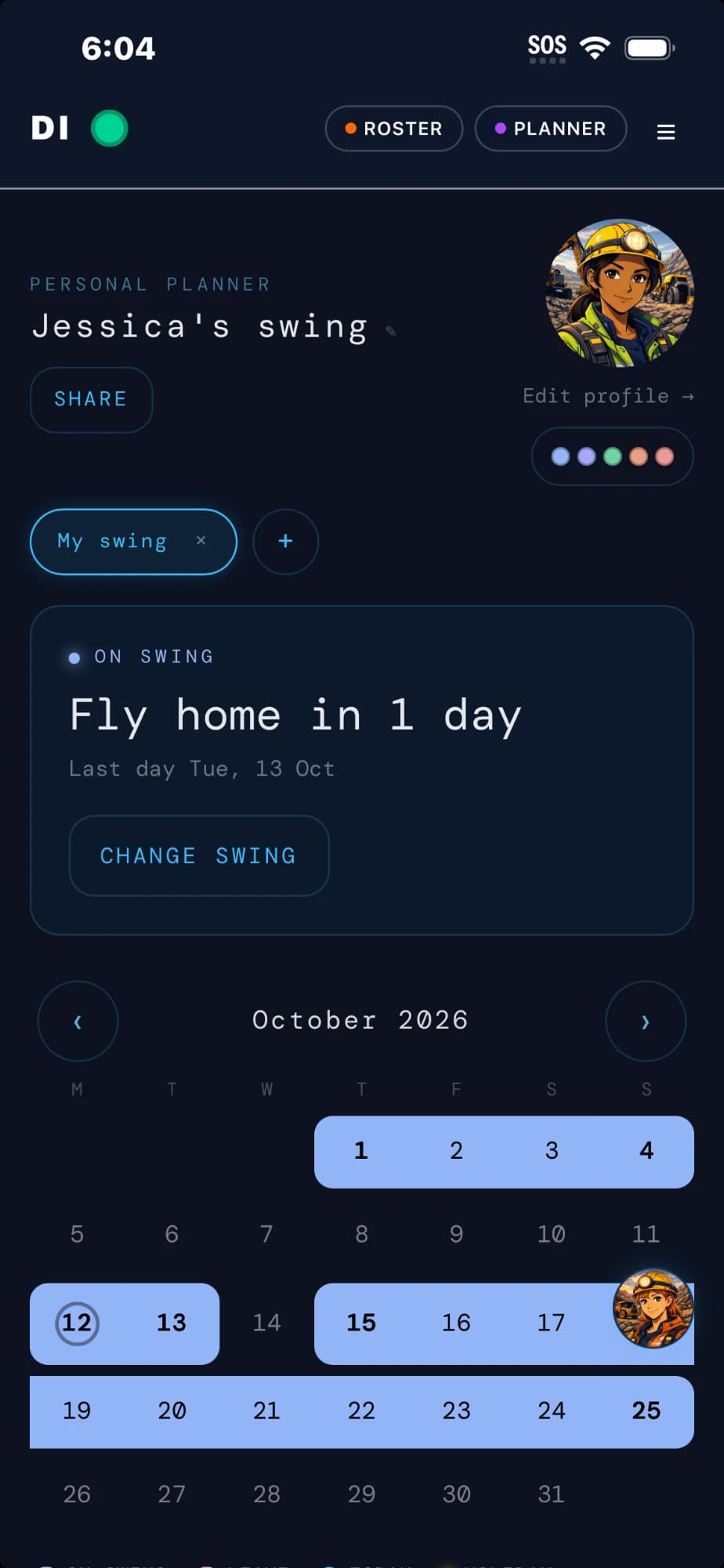
Every worker gets their own planner. Free.
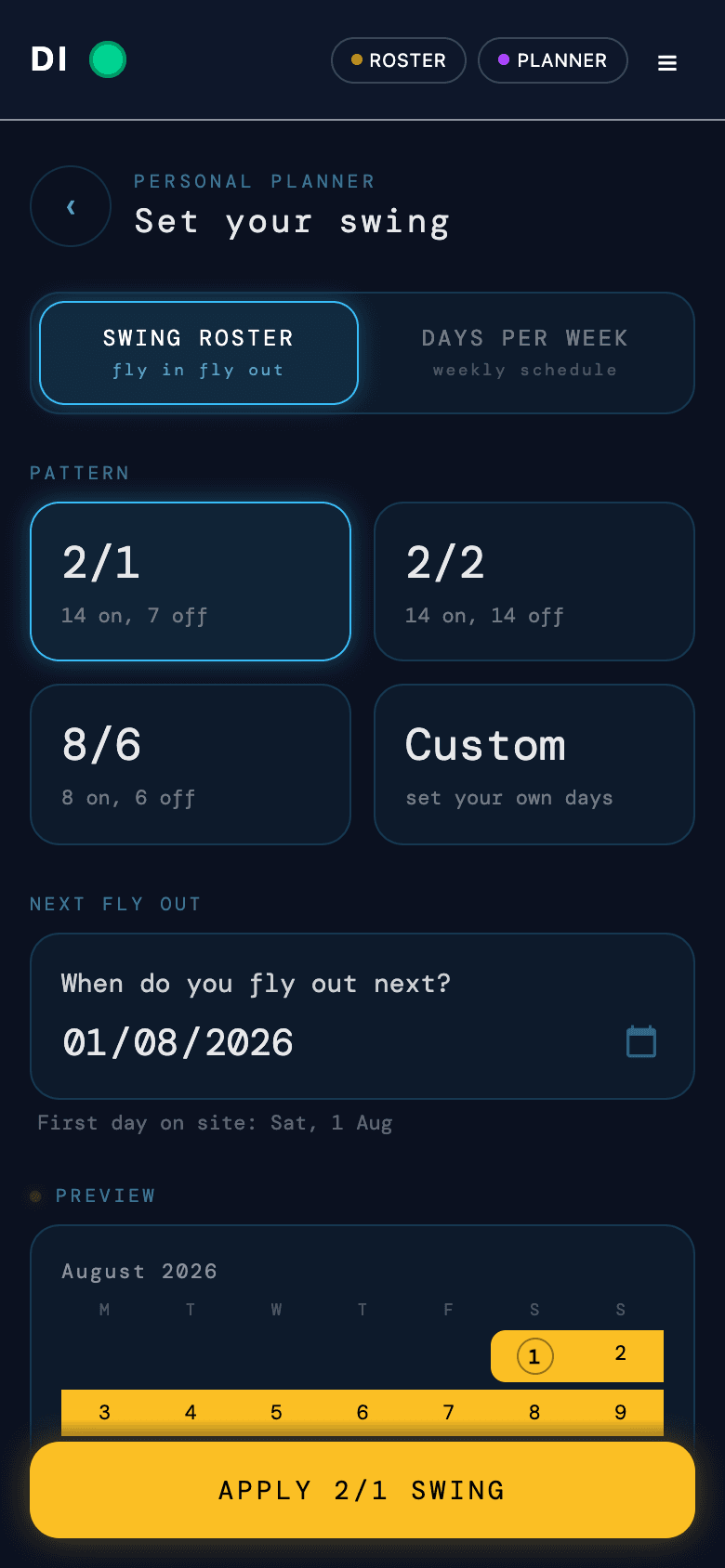
Your swing, your pay, your rules. Pick a swing pattern or a days-per-week schedule and the whole year paints itself. Works in your pocket, on site, with or without signal.
- Swing patterns (2/1, 2/2, 8/6, custom) or days per week, for any industry
- Pay forecasting: income, tax, super, and compounding savings
- Works offline underground, so day edits save on your device and sync when you're back in signal
- Tickets wallet with expiry dates, wellness habit tracking, public holidays
- Share your swing with family and see when your mates' R&R lines up
- Site on Data Informatics? Link your planner to the official roster and stay in sync
Why sites choose Data Informatics
Reliability is the product. Everything below exists to keep crews consistent and measurable.
Reliability at the core
Standby, backfills, and consistent crews handled proactively to prevent gaps before they hit the shift.
- Reduce no-shows
- Keep teams familiar
- Lower disruption risk
FIFO-native workflows
Rotation and travel aware tools that fit how remote operations actually run.
- Rotation cadence
- Travel windows
- Site readiness
Measurable improvement
Reliability analytics shows trendlines and the impact of changes over time.
- Reliability score
- Attendance trend
- Recovery time
What is inside
The Squad Roster suite automates the unglamorous but critical parts of keeping crews consistent, and the Personal Planner puts a worker-side toolkit in every pocket.
Quarterly rostering
Plan 12-week rosters with spreadsheet ergonomics. Week tabs, swing pattern presets, division and crew hierarchy. Assign patterns across entire crews in one click.
Attendance confirmation
Each crew member receives a WhatsApp message with their swing dates. They tap Yes or No. The superintendent sees real-time status. No phone calls, no chasing.
Backfill management
When someone drops out, the system finds eligible replacements tenant-wide and sends offers via WhatsApp. First to accept is auto-filled. Superintendent notified.
Roster version control
Every publish creates an immutable snapshot. Browse all versions, compare any two side-by-side, see exactly what changed. No more emailing spreadsheets back and forth.
Change audit trail
Plain language diffs show who changed, what shifted, and when. Per-member history across all publishes. Built for fatigue management compliance and superintendent handovers.
Bulk crew import
Import your crew list from CSV or Excel. Mobile numbers linked automatically for WhatsApp confirmations. Invite emails sent on upload.
Personal Planner
Every worker's own swing calendar. Pick a pattern or days per week, the year paints itself, and single days flip to on site, off, or leave with a tap. Free for everyone.
Pay forecasting
Day rate in, full picture out: next swing earnings, financial year income, tax and super estimates, and a compounding savings projection with your own assumptions.
Offline on site
No signal underground? The planner keeps working. Day edits save on the device and sync themselves the moment you are back in coverage.
Roster to planner sync
Workers on a Data Informatics site can link their planner to the official roster. Publishes flow through automatically, and personal plans stay theirs.
Ticket storage
Tickets and certs stored against each person with expiry dates in view, so nobody flies out with paperwork that lapsed last month.
Reliability analytics
Track reliability score and recovery time. Prove improvements. Turn consistency into a measurable KPI that the business can report on.
Standby crew that actually stands by
Stop hunting for cover at 5am. Maintain a pre-cleared bench and recover positions with a click.
- Auto-notify matching standby workers
- Confirmations tracked in real-time
- Audit trail for coverage decisions
Backfill covered. Sarah Chen confirmed for Day Shift, 14 Apr to 27 Apr.
Backfill resolution flow
Cross-site pools, minus the chaos
Shift proven teams across sites without losing consistency. We make the admin invisible.
- Visibility of who is free and induction-ready
- Respect rotation fatigue windows
- Balance continuity with demand
Tenant-wide crew availability
Certify+ keeps everyone site-ready
Surface expiring quals, blocked inductions, and missing tickets before travel is booked.
- Qualification tracking and reminders
- Site-specific requirements
- Clear pass/fail readiness states
Dean Mackenzie
James White
Jefferey Smith
Qualification readiness checks
Questions we hear a lot
We designed Data Informatics to drop into your current process with minimal change management.